
Free Logo Maker
A small business, club or side project often just needs a tidy logo it can use today. Type your name and tagline, pick a simple icon and a font, choose colours and a layout, and download the result as a high-resolution PNG, an SVG, a square social media image or a favicon. Everything is made in your browser — no sign-up, no watermark.
- Free to use
- No sign-up
- Runs in your browser
Logo maker
Brand Starter Templates
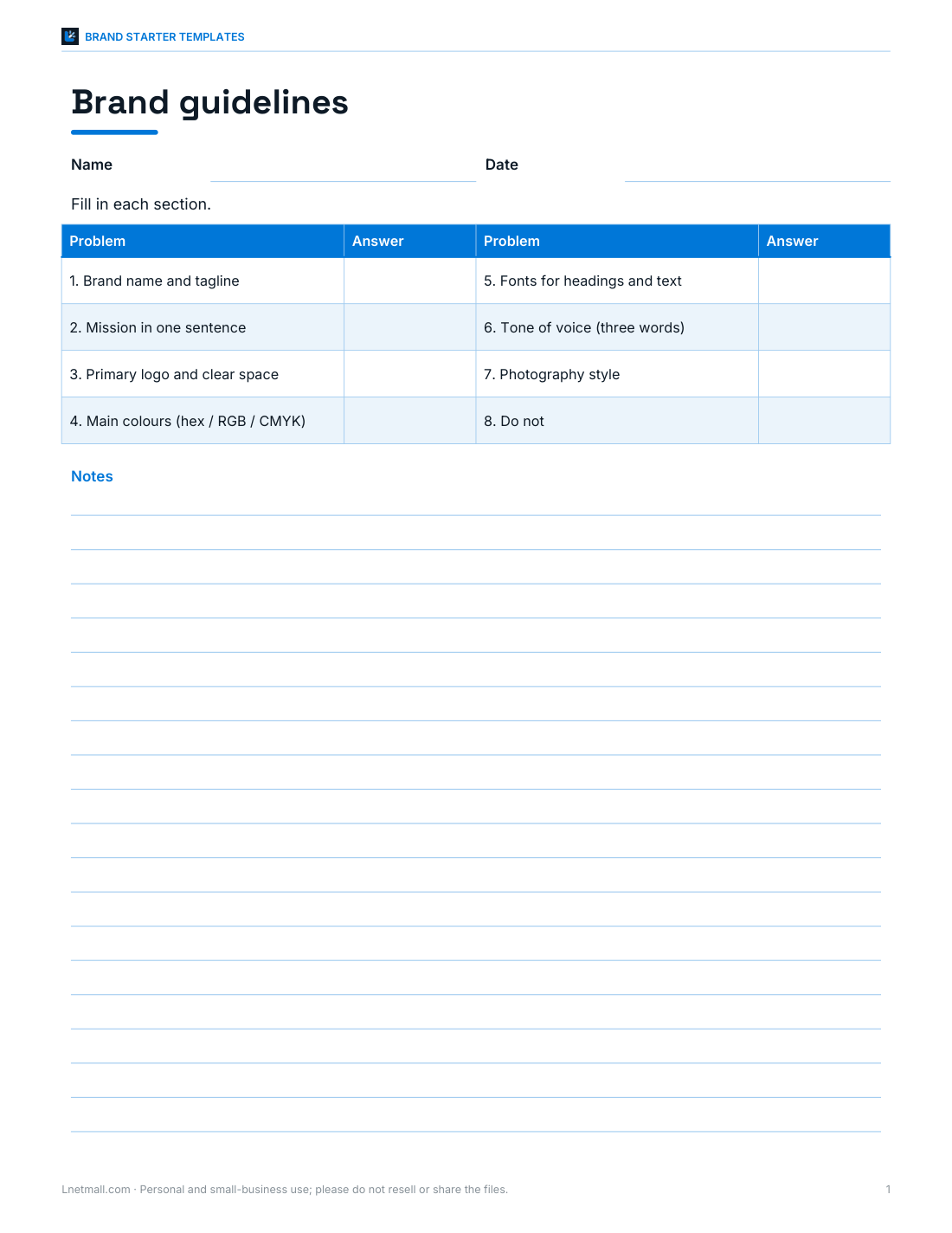
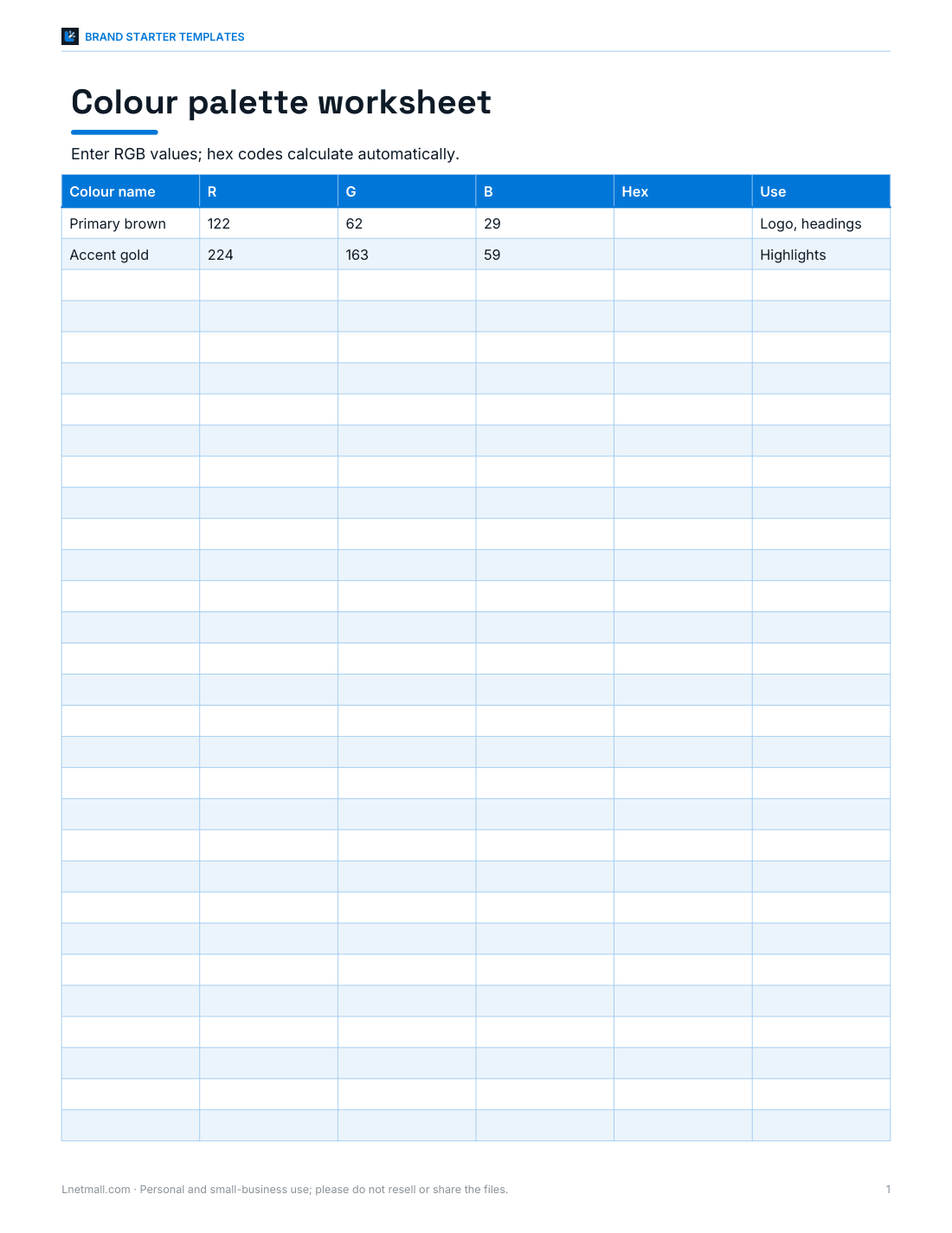
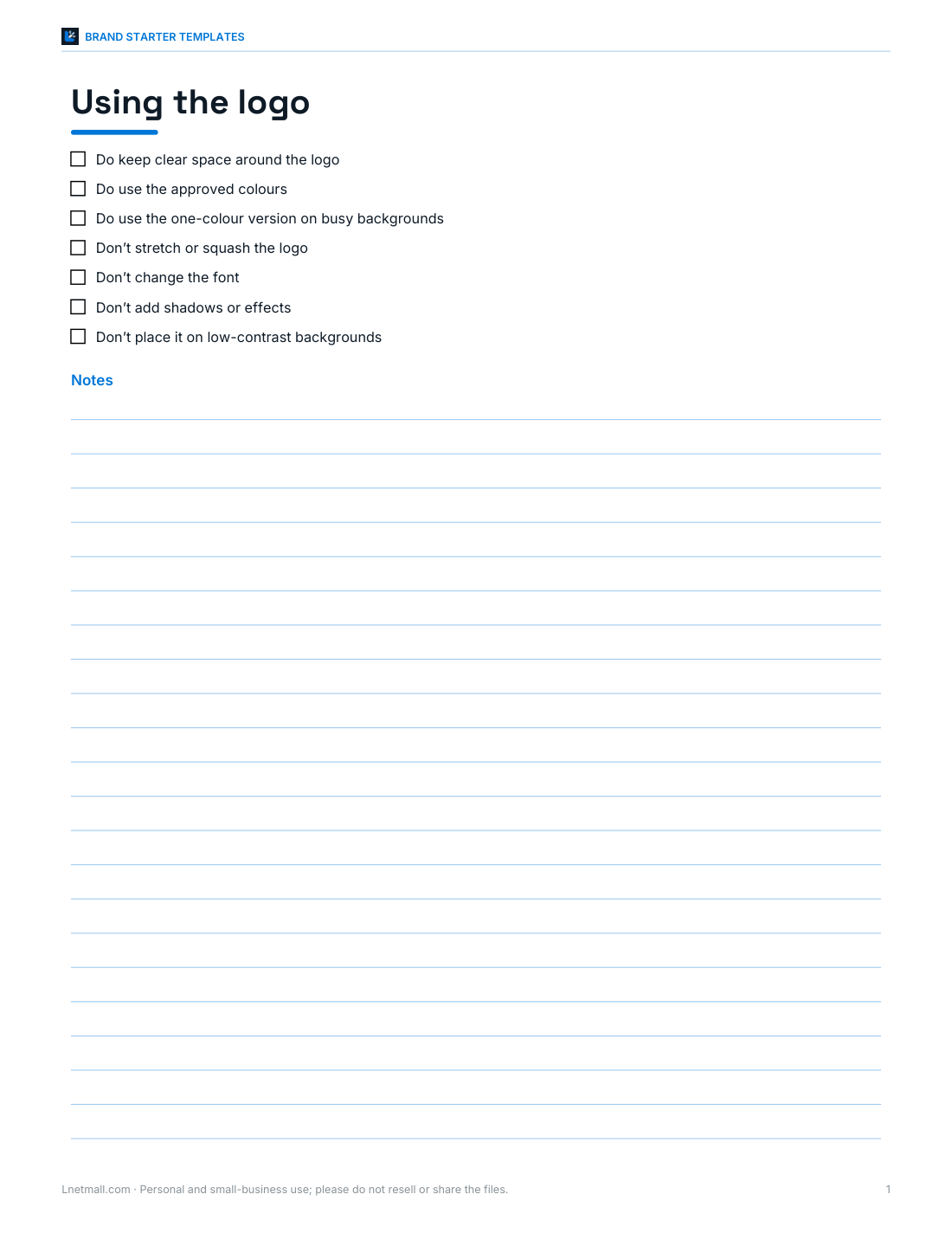
Two-page brand guidelines template, colour palette worksheet (hex, RGB, CMYK), logo do’s and don’ts sheet, social media image size guide and business card layout template.
- Brand guidelines (DOCX/PDF)
- Colour palette (XLSX)
- Logo do’s and don’ts (PDF, DOCX)
- Image size guide (PDF)
- Business card layout (PDF)
Formats: PDF, DOCX, XLSX. Instant download after payment (link valid 72 hours, up to 5 downloads). AI-assisted: the templates were drafted with AI help and reviewed and laid out before publishing.
$5.00 USD, one-time 5 files · about $1.00 each
- Instant download
- 7-day refund
- Secure checkout by Stripe
7-day money-back guarantee. Full refund within 7 days of purchase, even after you download.
Free sample: Brand Guidelines (PDF, 58 KB)
Full refund within 7 days — see the refund policy and license.
Free printables
Single sheets you can print right now, no sign-up. The full pack adds every sheet in one download plus the editable files.
 Printable Brand Guidelines Worksheet
 Printable Colour Palette Worksheet
 Printable Logo Do's and Don'ts Sheet
 Printable Image Size Guide
 Printable Business Card Layout
What makes a good small-business logo
- Simple — it should work at the size of a favicon and on a van.
- Readable — the name should be legible at a glance.
- Distinctive — not easily confused with a competitor’s.
- Flexible — it should work in one colour, on light and dark backgrounds.
- Appropriate — the font and colours should suit what you do.
How to use the logo maker
- Type your business or project name and an optional tagline.
- Pick an icon — or none for a pure wordmark.
- Choose a font that suits your style: a serif feels traditional, a sans-serif modern, a typewriter font handmade.
- Pick a main and an accent colour and a layout: icon left, icon above or a round badge.
- Download a 2000-pixel PNG for print and web, a square version for social media, favicons for a website and an SVG for further editing.
Fonts come from your device, so the SVG may look different on another computer; the PNG downloads look exactly like the preview. Designers can open the SVG and convert the text to outlines.
Choosing colours
| Colour | Common associations |
|---|---|
| Blue | Trust, calm, professional services, technology |
| Green | Nature, health, growth, sustainability |
| Red | Energy, food, urgency, passion |
| Orange / yellow | Warmth, friendliness, creativity |
| Brown | Craft, coffee, baking, earthiness |
| Purple | Creativity, luxury, wellbeing |
| Black / grey | Sophistication, simplicity |
Associations vary by culture and industry, so treat them as a starting point. Check contrast: a light accent colour on white may be hard to read.
Worked example
A small bakery called Northfield Bakery chooses the leaf icon, Georgia font, a warm brown main colour and a golden accent with the icon on the left and the tagline “Baked fresh daily”. They download the 2000-pixel PNG for their shop sign printer, the square image for their social media profile and the favicons for their website. For packaging stickers they use the badge layout, which fits neatly into a circle label.
Sizes you will need
| Use | Size |
|---|---|
| Website header | SVG or PNG around 400–600 px wide |
| Social media profile | Square, 1080 × 1080 px (displayed as a circle on many platforms) |
| Favicon | 32 × 32 px, plus 180 × 180 px for phone home screens |
| Print (business cards, flyers) | Vector (SVG/PDF) or PNG at 300 DPI — 2000 px wide covers most small prints |
| Signage and vehicles | Vector file — ask a designer or sign maker to set it up |
Trademarks and originality
The icons in this tool are simple geometric shapes, and many businesses may use similar ones. That is fine for getting started, but a simple logo is harder to register as a trademark. Before investing in signage or packaging, search your country’s trademark register for similar names and logos in your field, and consider working with a designer on a unique mark as your business grows.
Wordmarks, lettermarks and emblems
| Style | What it is | Good for |
|---|---|---|
| Wordmark | The name in a distinctive font, no icon | Short, memorable names |
| Lettermark / monogram | Initials in a shape | Long names; small spaces like app icons |
| Icon + name | A simple symbol beside or above the name | Most small businesses |
| Emblem / badge | Name and icon inside a shape | Cafés, craft brands, clubs, stickers |
Start with the icon-and-name layout for your website and documents, and use the badge or a monogram where space is square or small.
Fonts and personality
Serif fonts such as Georgia and Palatino feel established and trustworthy — a good fit for bakeries, law firms and bookshops. Clean sans-serif fonts such as Trebuchet and Verdana feel modern and friendly for tech, health and services. Heavy or condensed fonts like Arial Black and Impact are bold and loud, suiting fitness or events, while a typewriter font suggests craft, vintage or writing. Pick one font for the name and keep the tagline in the same family for a tidy look.
Testing your logo
- Shrink it to 32 pixels: is it still recognisable?
- Print it in black only: does it still work?
- Put it on a dark background and a photo.
- Show it to five people for five seconds and ask what they remember.
- Check it on a phone screen and on paper.
Keeping your brand consistent
Once you have a logo, write down your colours (as hex codes), fonts and how the logo should and shouldn’t be used. The brand guidelines template in the pack guides you through this in two pages, so anyone making a flyer or post for you uses the same look.
The printable brand templates
The template pack includes a two-page brand guidelines template, a colour palette worksheet with hex, RGB and CMYK fields, a logo usage do’s and don’ts sheet, a social media image size guide and a business card layout template — Word, Excel and PDF.
Frequently asked questions
Is the logo maker free?
Yes, with no watermark or sign-up.
Can I download my logo as SVG?
Yes, and as PNG in several sizes.
Can I use the logo commercially?
Yes, but check trademarks for your name and field first.
Why does the SVG look different on another computer?
Text uses fonts installed on the device; use the PNG or convert text to outlines in a design app.
Can I make a favicon?
Yes, 32 px and 180 px PNG files.
Is my design uploaded?
No, everything happens in your browser.
What file should I give a printer?
The SVG, or a PNG at least 2000 px wide; printers may ask for outlined text.